Variable Fragments
One of the coolest things about CSS variables is that they're like lego blocks. We can use them as pieces or fragments.
<style>
  body {
    --standard-border-width: 4px;
  }

  strong {
    --border-details: dashed goldenrod;
    border:
      var(--standard-border-width)
      var(--border-details);
  }
</style>

<strong>Hello World</strong>
We can combine multiple variables to form a single property value. In this case, the end result is the declaration border: 4px dashed goldenrod.
This works because CSS variables are evaluated when they're used, not when they're defined.
Taking this a step further: CSS variables are composable:
<style>
  body {
    --pink-hue: 340deg;
    --blue-hue: 275deg;
    --intense: 100% 50%;

    --color-primary: hsl(
      var(--pink-hue)
      var(--intense)
    );
    --color-secondary: hsl(
      var(--blue-hue)
      var(--intense)
    );
  }

  strong {
    color: var(--color-primary);
  }
  a {
    color: var(--color-secondary);
  }
</style>

<p>
  Hi <strong>Mario</strong>!
  <br />
  The princess is in <a href="">another castle</a>.
</p>
The --color-primary variable is built up using the variables --pink-hue and --intense. This helps us keep our code DRY, and makes it possible to build rich structures that make it easy to tweak entire color themes!
Color theme
In the playground below, we have a color theme set using CSS variables, but there's an awful lot of repetition.
<style>
  :root {
    --color-gray-100: hsl(270deg 20% 95%);
    --color-gray-300: hsl(270deg 10% 75%);
    --color-gray-500: hsl(270deg 5% 50%);
    --color-gray-700: hsl(270deg 10% 30%);
    --color-gray-900: hsl(270deg 15% 15%);
  }
</style>
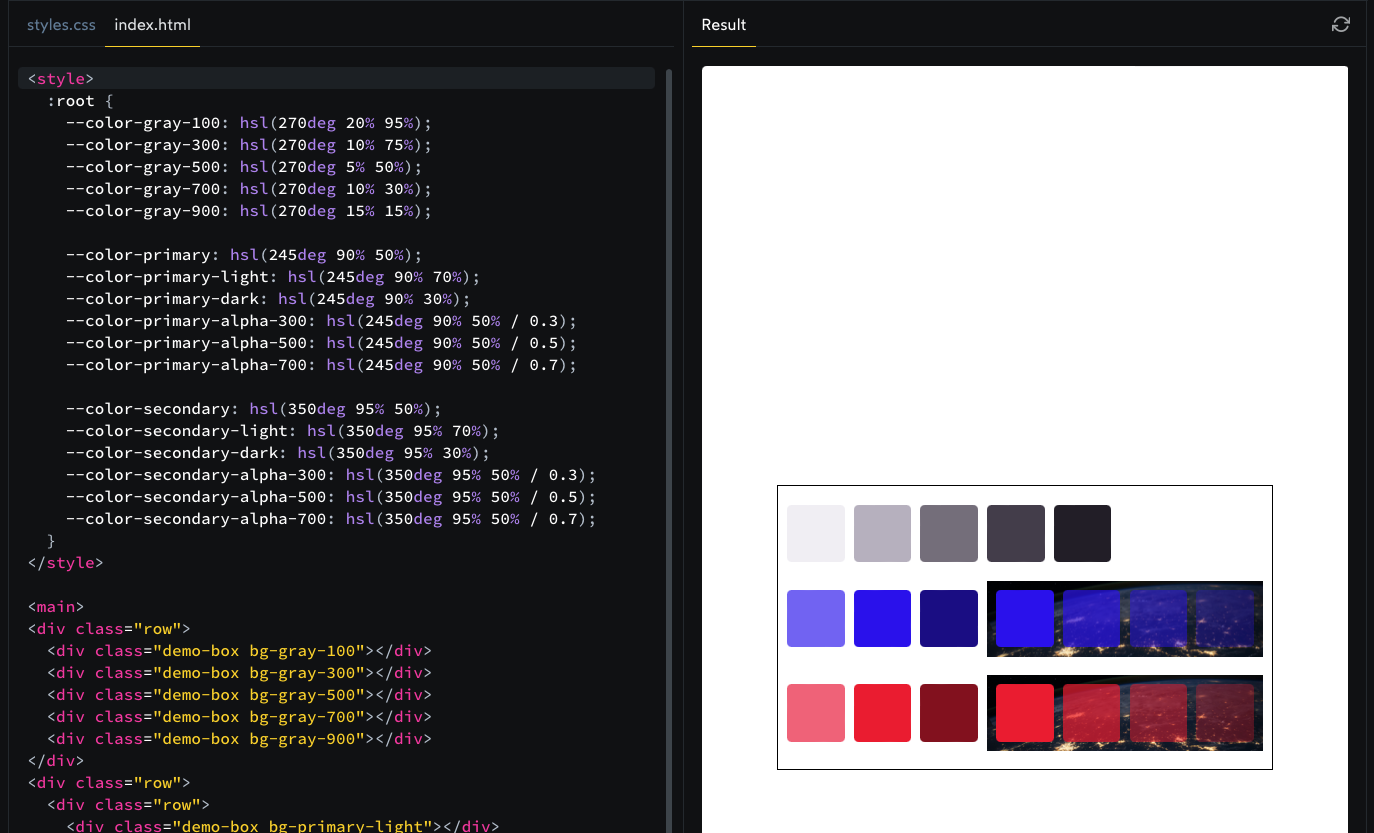
100 to 900, with 100 being the lightest, 900 being the darkest.Dark Mode
You can use the prefers-color-scheme media query to create an alternative set of colors. Your colors should use the same values for “hue” and “saturation”, but should change the “lightness” values to be dark-mode appropriate.
To test this, you'll need to either temporarily switch your operating system's color scheme, or else use emulation in the browser developer tools. I recently shared instructions for how to do this in Chrome and in Firefox.